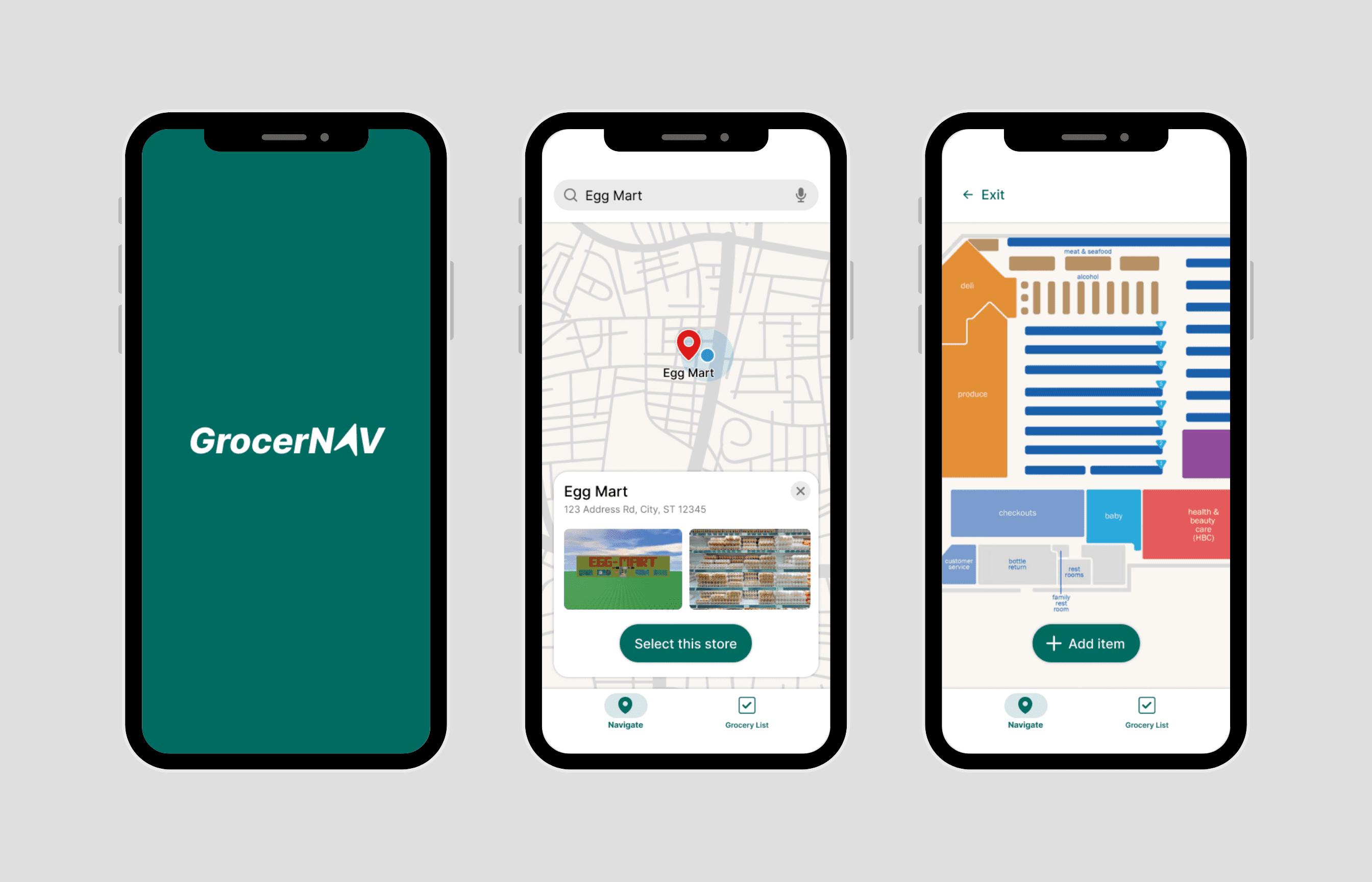
GrocerNAV
Shortcut Grocery Shopping
UI/UX Designer
April 2025 - Ongoing
GrocerNAV is a grocery store navigation app that helps users locate items, making the shopping experience efficient and effortless.
Backed by competitive audit and usability testing insights, I created, iterated, and refined digital wireframes. Through my research-heavy approach, I gained the ability to deeply understand and empathize with my users.
Note: This project is part of the Google UX Design Professional Certificate.
What's the Problem?
Define.
Who exactly are the people I'm designing for? I created two user personas falling in the typical age range of grocery shoppers to represent my users.
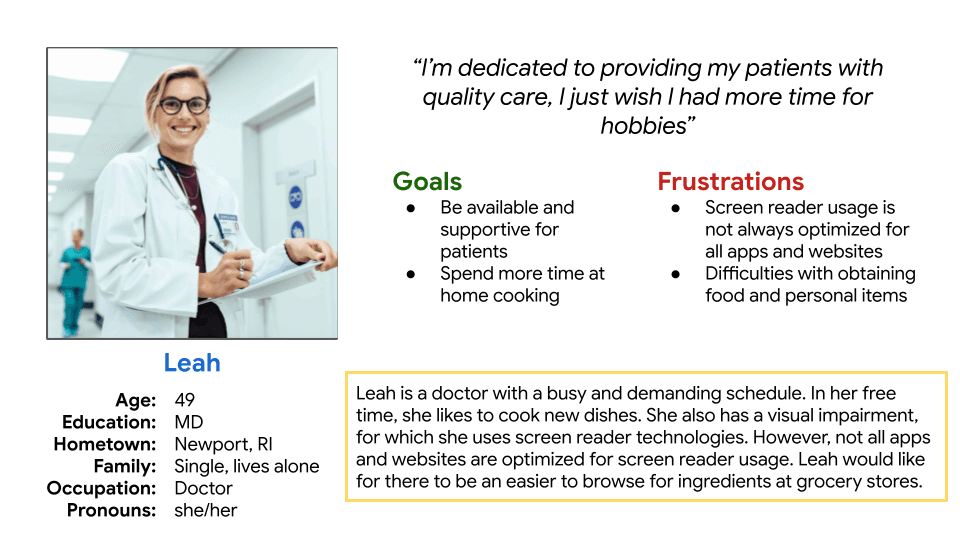
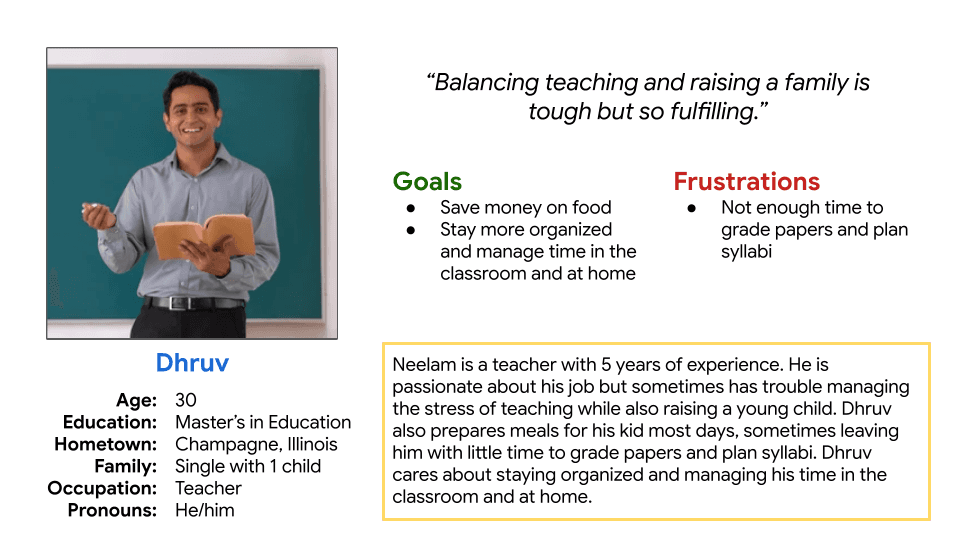
Based on these personas, I created a goal statement to direct my design solution:
"Our grocery store navigator app will let users quickly locate grocery items in-store, reducing time and frustration while shopping. We will measure effectiveness by time saved in-store and customer satisfaction."
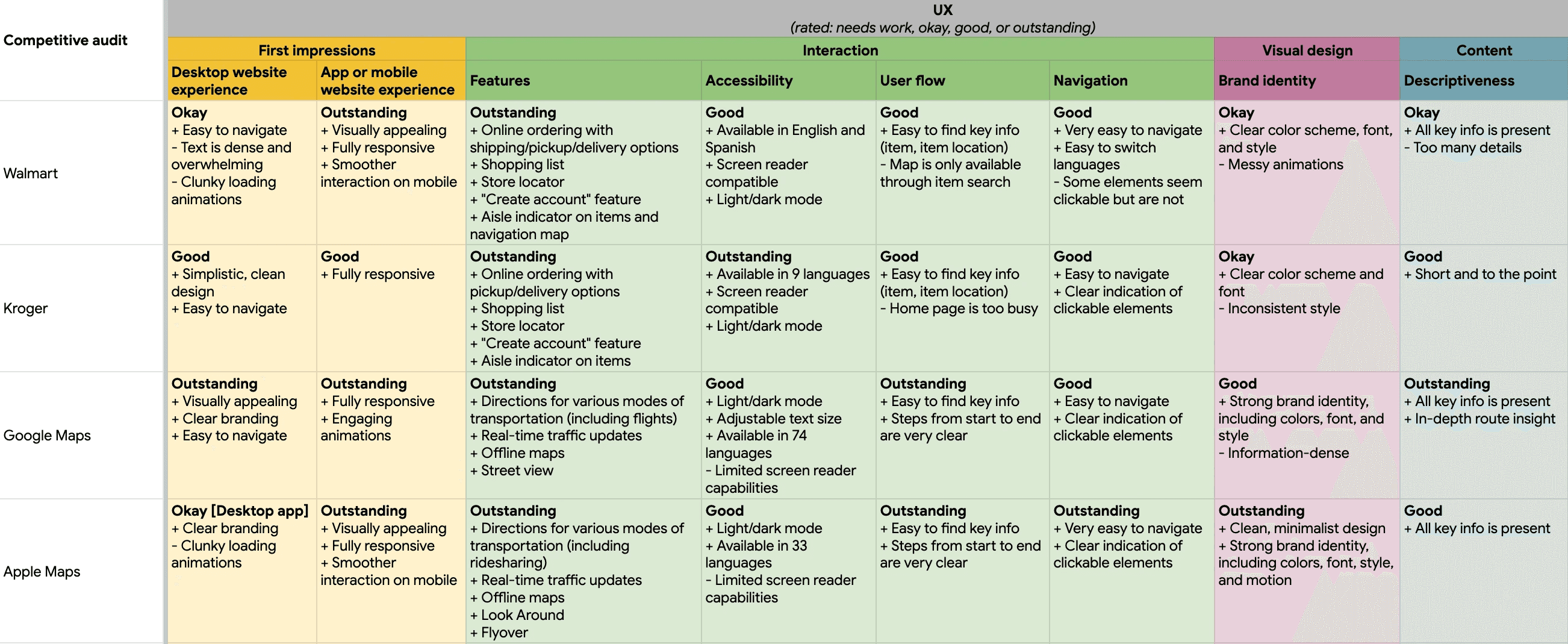
Before brainstorming new ideas, I wanted to research existing products on the market. I conducted a competitive audit on four products with similar functionality.
Let's Ideate!
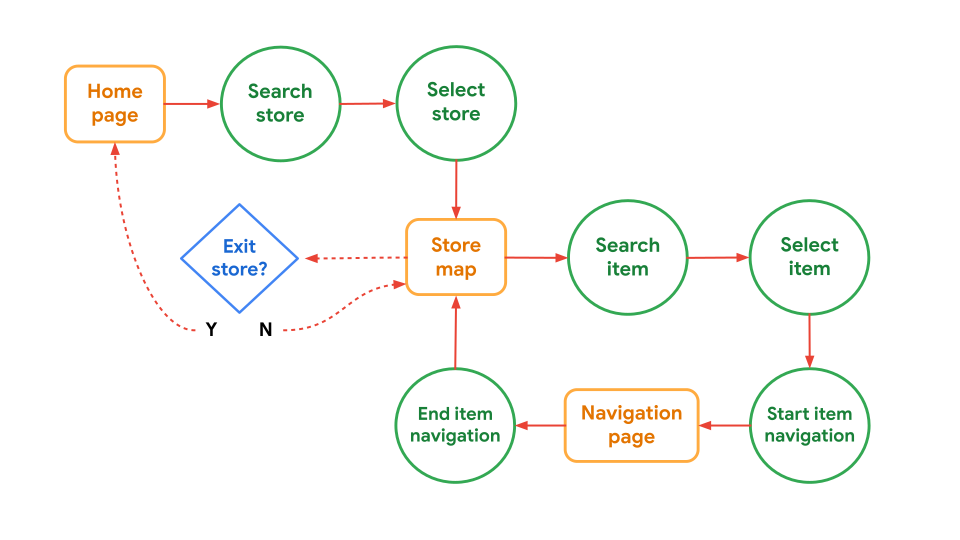
Initial user flow map:
Below, I incorporated key competitive audit insights in my lo-fi wireframes.
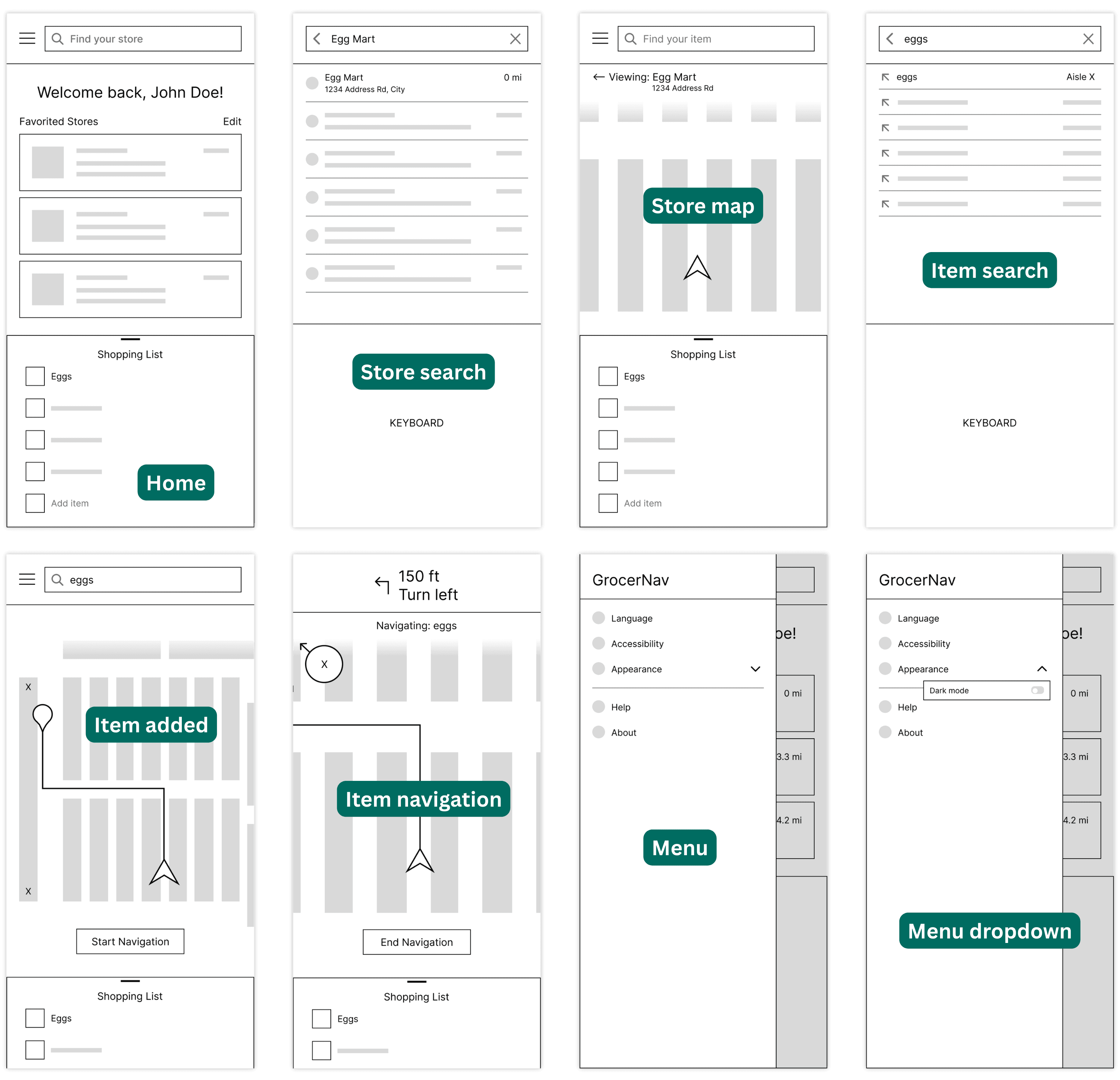
Easy access to shopping list → non-modal bottom sheet
Easy access to stores → favorite stores section on home page
Easy access to store map → map is visible upon store selection
Visible signifiers → large navigation buttons and intuitive top search bar
Testing, 1-2-3
I wanted to test my wireframes before increasing the fidelity. I conducted in-person, moderated usability testing with 6 participants, guiding them through 4 main tasks.
Task 1: Store Search
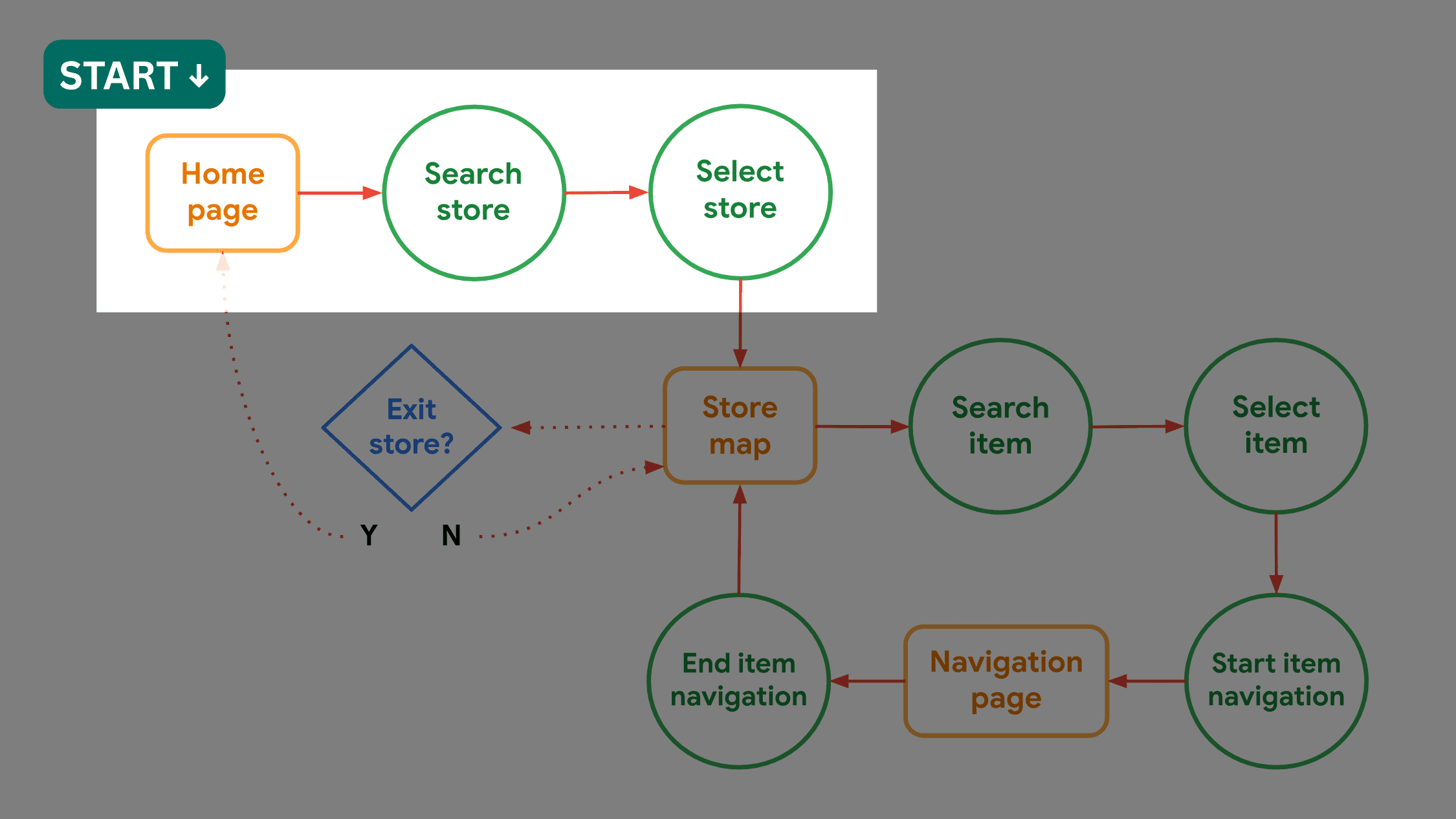
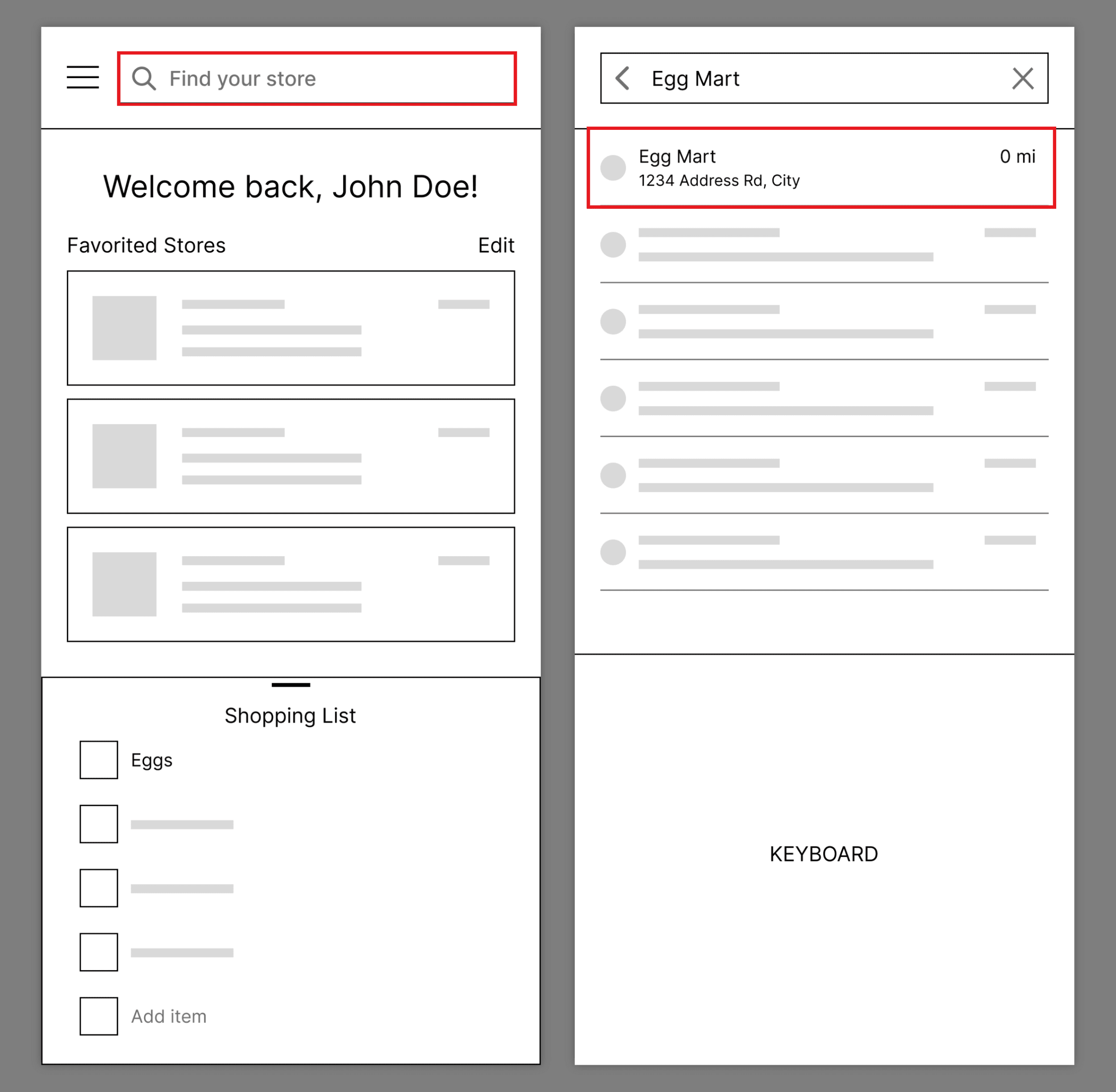
Task success rate: 100%
4/6 participants mentioned that the task was easy/intuitive
Participant 3: "I like that it has a couple of stores that you frequent, as well as a search feature."
Participant 5: "I would only use this for a store I haven't been to."
Task 2: Item Search
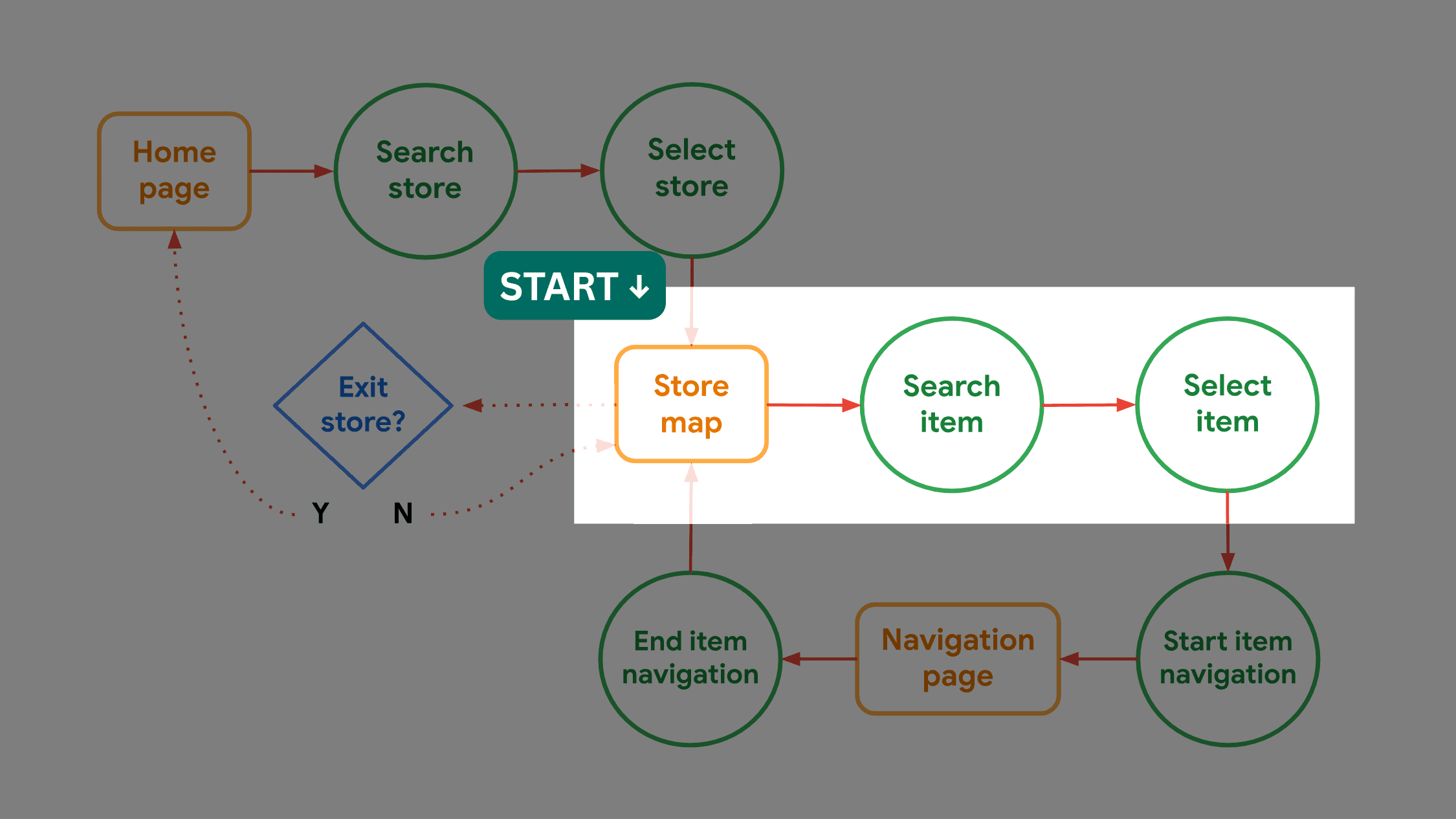
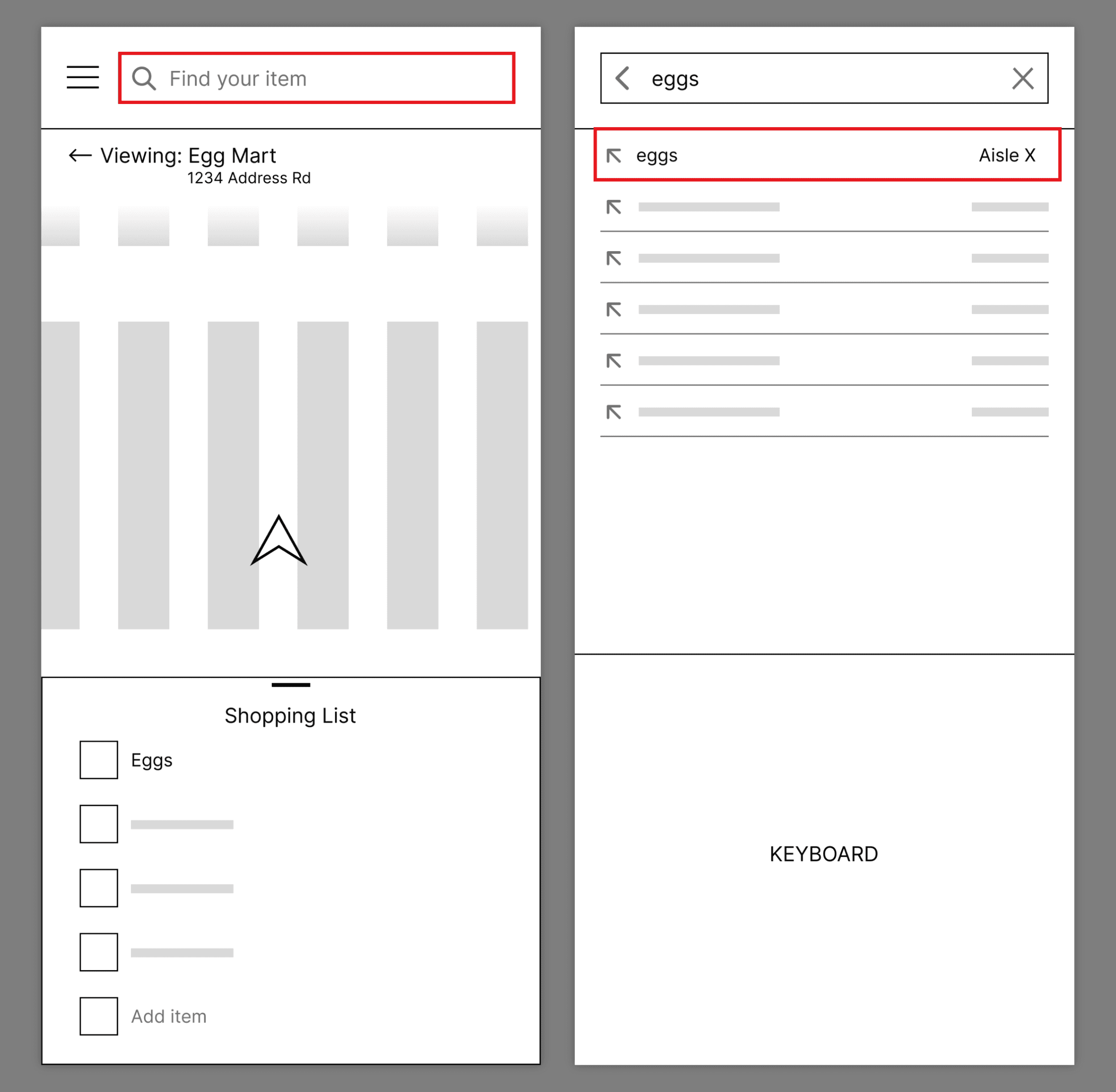
Task success rate: 100%
3/6 participants mentioned that the task was easy/intuitive
Participant 2 wants the ability to search for broader grocery sections (e.g., produce, frozen, dairy)
Participant 3: "I think a nice feature would be a back button if you hit the wrong item."
Task 3: Item Navigation
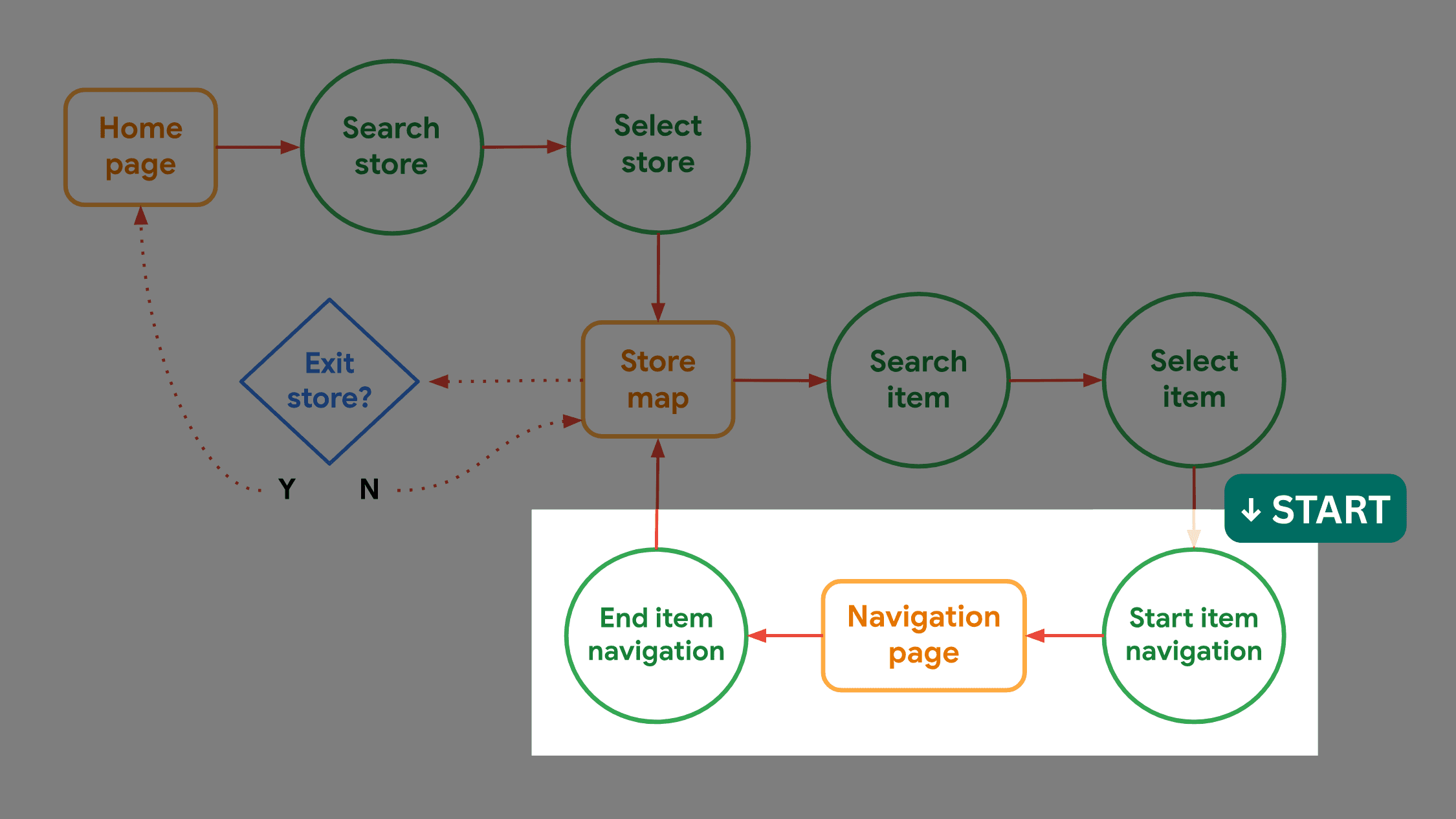
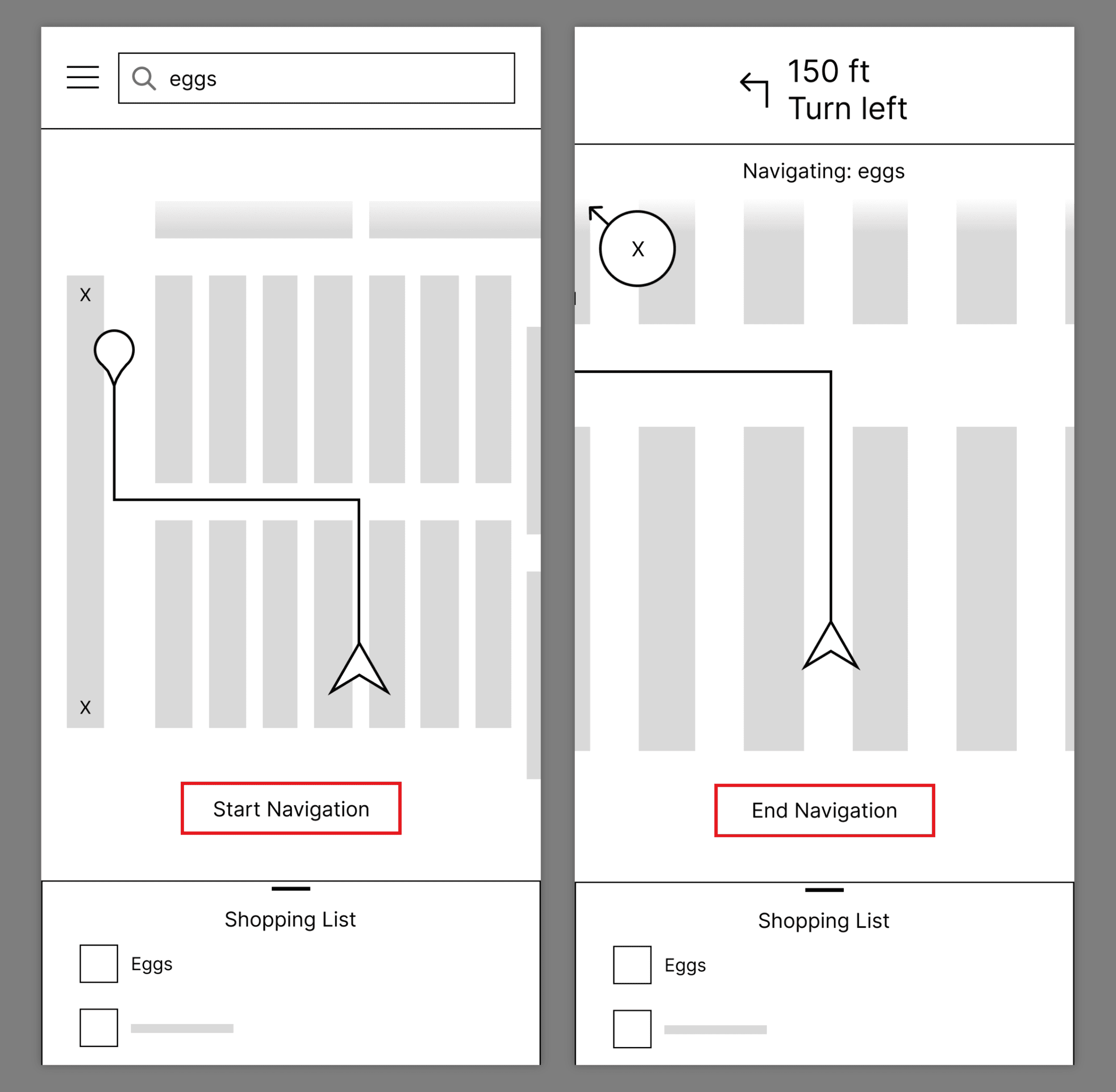
Task success rate: 100%
4/6 participants mentioned that the navigation signifiers were clear
Participant 1 wants labeled aisles
Participant 3: "A feature that could be helpful is stops for multiple items. That way, you can create a plan for navigating."
Participant 6: "I can't access the menu from the navigation page."
Task 4: Exit Store
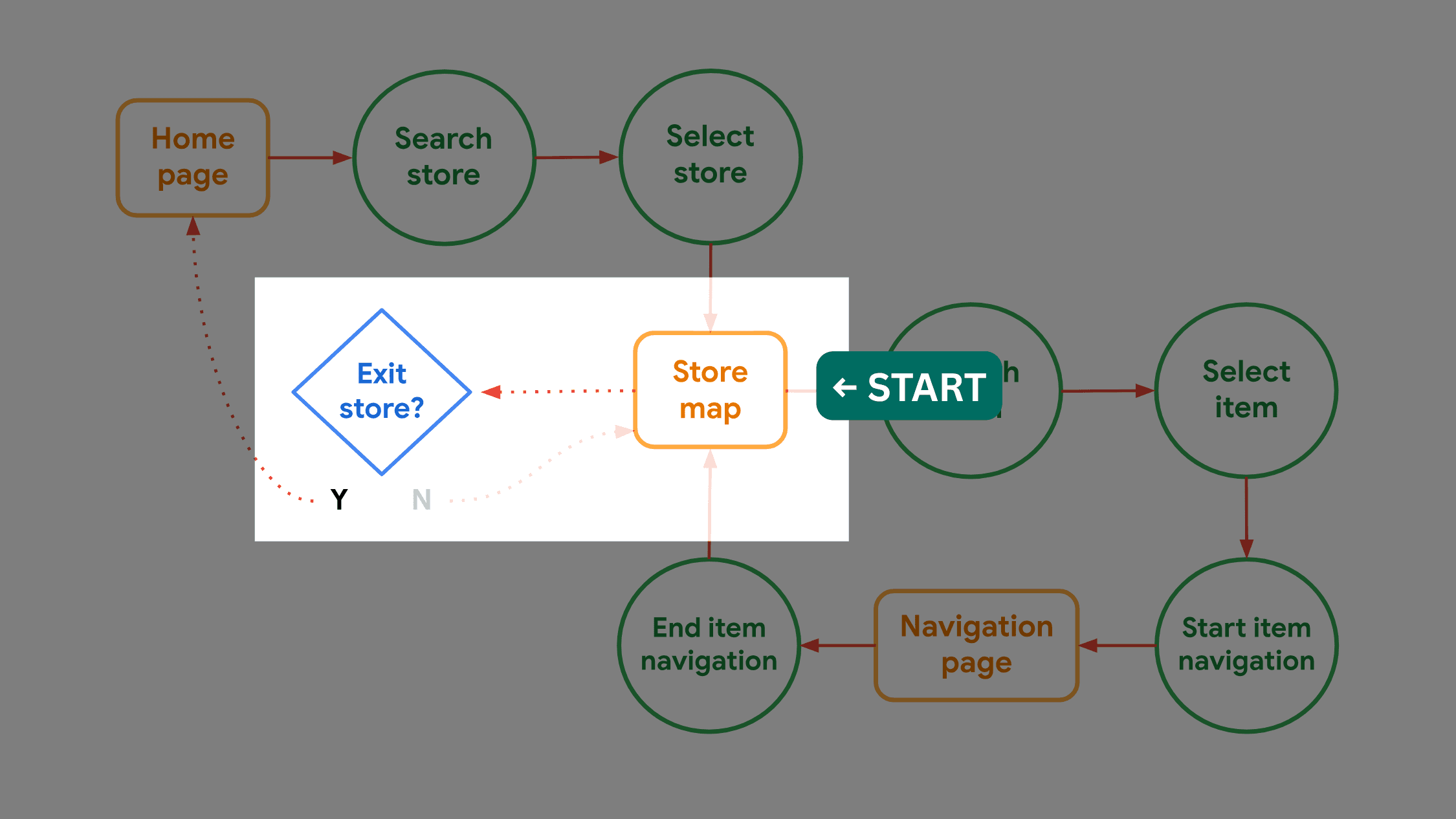
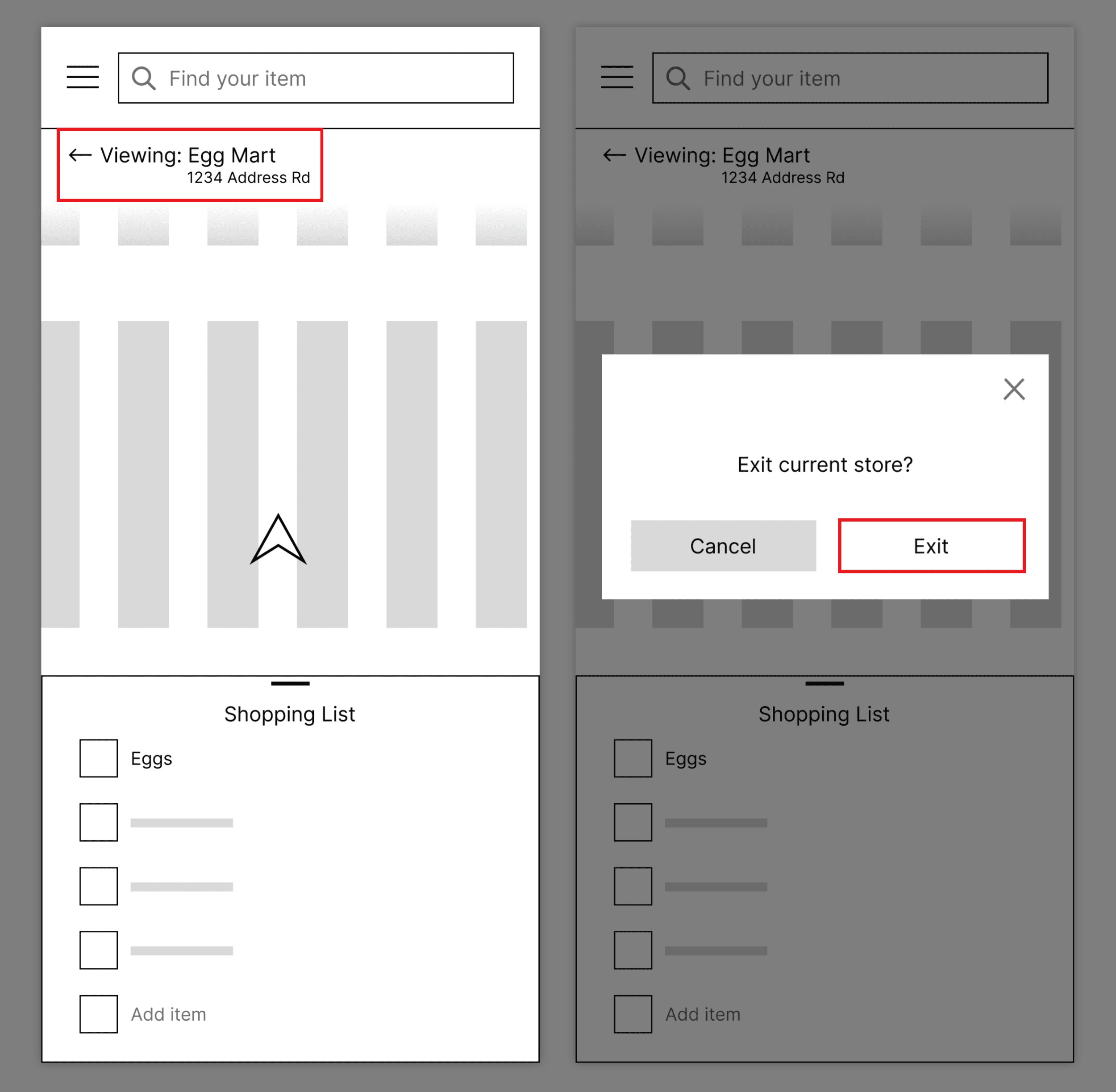
Task success rate: 83%
2/6 participants mentioned that the task was easy/intuitive
Participant 4: "My first thought is to press the 3-bar menu."
Participant 1 would prefer a clearer signifier for exiting the store, such as a button labeled "Go back" or "Change store"
Overall feedback
3/6 participants were concerned about the accuracy of the app information (precise satellite navigation, updated store maps)
Participant 6: "I would like a way to make different shopping lists."
Participant 6 disliked the hamburger menu and would prefer a tab bar
Just from having six people complete four simple tasks, I gathered so much insightful feedback! Based on session recordings and notes, users need…
A clearer signifier for exiting the store map
A more visible menu
An easier way to keep track of multiple grocery items
A less intrusive store shortcut feature
Let's Ideate! (Pt. 2)
It was time to go back to the drawing board.
A major issue that emerged from usability testing was the hamburger menu. While one participant misinterpreted the menu and failed a task, another outright stated their dissatisfaction with it. It was clear that the hamburger menu's hidden nature was causing friction.

When revisiting my wireframes, I also realized a critical UX error. In placing the shopping list in a bottom sheet, I hoped the split-view layout could minimize the user's interaction cost. However, a bottom sheet is intended to supplement the primary screen, not introduce a separate workflow.
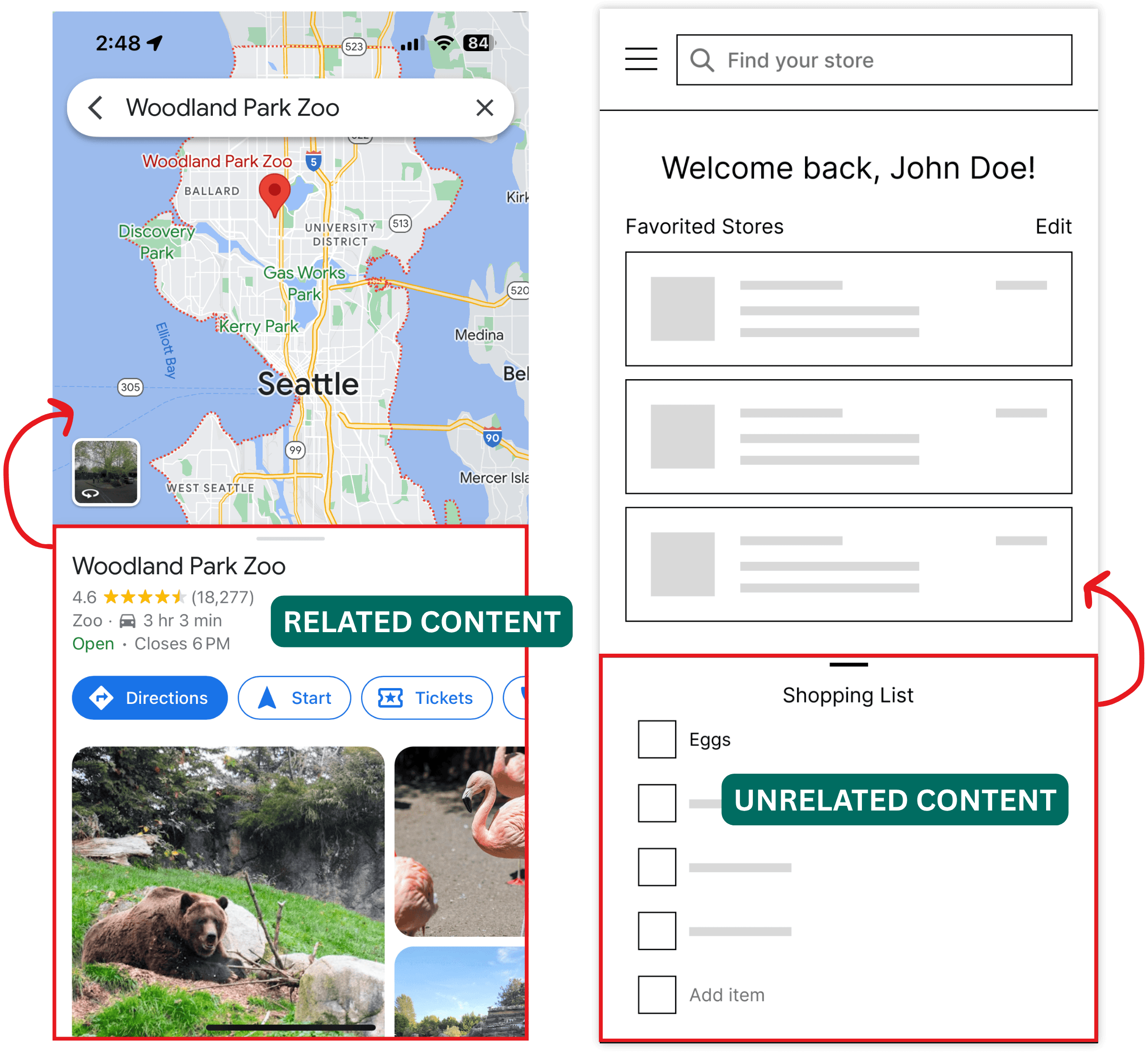
I needed to rethink how users access both the menu items and the shopping list. The solution? As Participant 6 suggested, a tab bar.
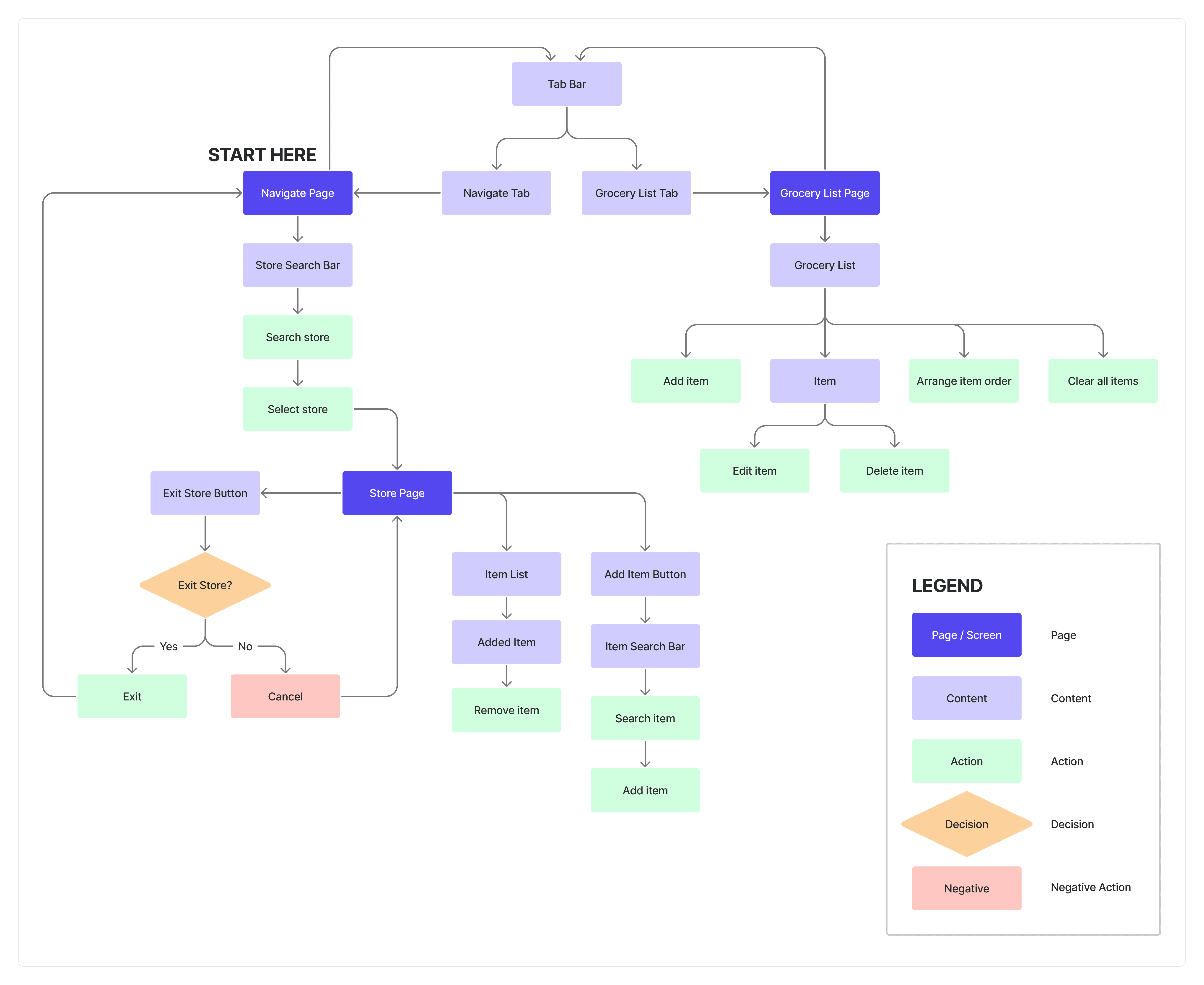
By moving the menu and the shopping list to a tab bar, the menu becomes more visible and the shopping list less intrusive, all without sacrificing ease of access to either feature.
With a tab bar as the foundation for page navigation, I created a new user flow map:
Growth 🌱
At this stage of the project, here are my key takeaways:
1) Truly understanding your users will get you much further than assumptions.
I assumed reduced time in-store would be the top priority. However, after researching my users, I realized that a subset of them also values discovering more items, which is reflected in my user persona, Leah. Designing solely on my assumptions would have ignored the needs of a substantial portion of my user base.
2) Getting feedback in the early stages prevents frustration later on.
Admittedly, I was afraid to present an unfinished product to others, but I'm really glad I did. If I were to wait until my wireframes were more refined before testing, I would have a much harder time making changes.
What Now?
Currently, I'm iterating on my wireframes to incorporate the usability testing insights. Stay tuned for updates!